Appearance
Parent / Unparent
Use Parent / Unparent to add objects to a Compound or remove them from one.
How to use Parent
To add an object to a compound:
- Select the object to add to the compound.
- Select the compound.
- Choose
Modify > Compound > Parent
Note that the compound's work area is not automatically resized. Use Optimize to resize the compound so it encloses all objects.
How to use Unparent
To remove objects from a compound:
- Double-click a Compound to open it.
- Select objects to be removed.
- Choose
Modify > Compound > Unparent
Note that the compound's work area is not automatically resized. Use Optimize to resize the compound so it encloses all objects.
Example
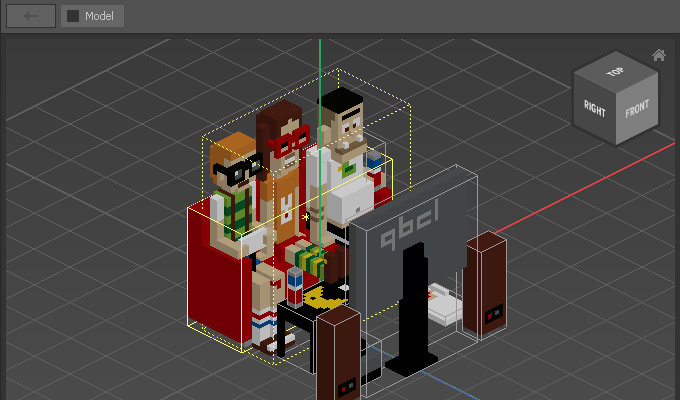
In the following example, the couch is selected so it can be added to a Compound:
After choosing Modify > Compound > Parent, the couch is added to the Compound:
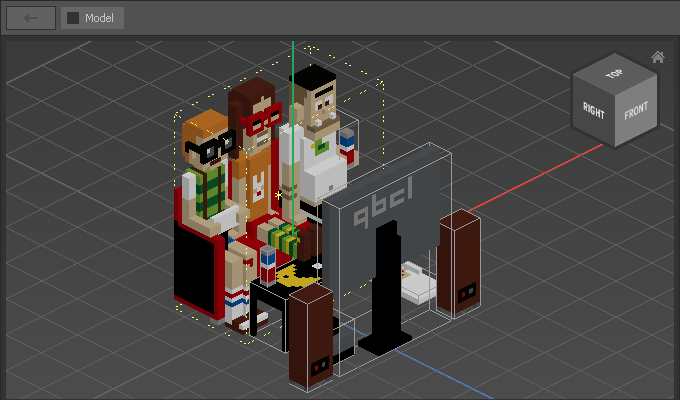
Note that the couch is partly clipped because Parent does not automatically resize the Compound. When you look inside the Compound, you can see that the couch is still complete:
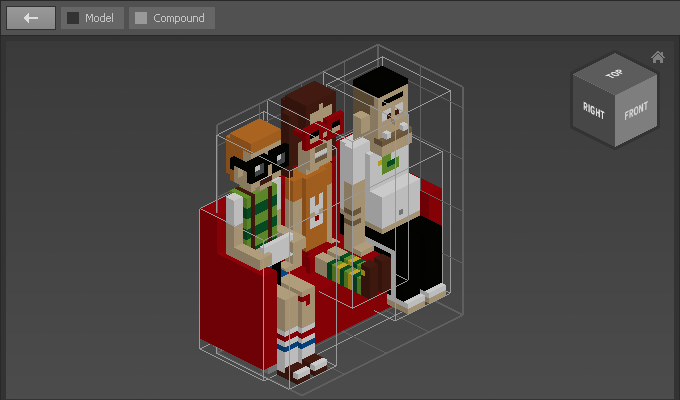
To automatically resize the Compound, use Modify > Work Area > Optimize.