Appearance
Draw Tools
Use the Draw Tools to add, erase or paint voxels.
Overview
| Tool | Icon | Shortcut | Description |
|---|---|---|---|
| Pencil |  | [B] | Paints voxels in 3D mode. In 2D Slice Mode, it draws new voxels. |
| Eraser |  | [E] | Erases voxels. |
| Attach Tool |  | [A] | Adds new voxels to the side of existing voxels. |
| Paint Tool |  | Paints existing voxels without adding new ones. | |
| Freehand Tool |  | Works along a freely drawn stroke. | |
| Line Tool |  | Works along a straight line. | |
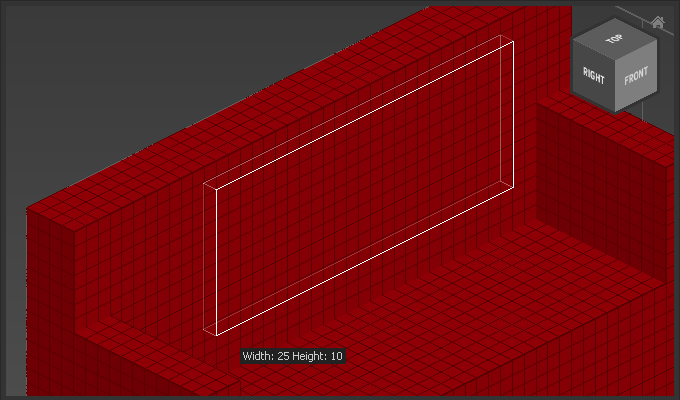
| Rectangle Tool |  | Works on a rectangular area. |
How to use Draw Tools
Pencil, Eraser, Attach, Paint
| Action | Behavior |
|---|---|
Drag | Freehand |
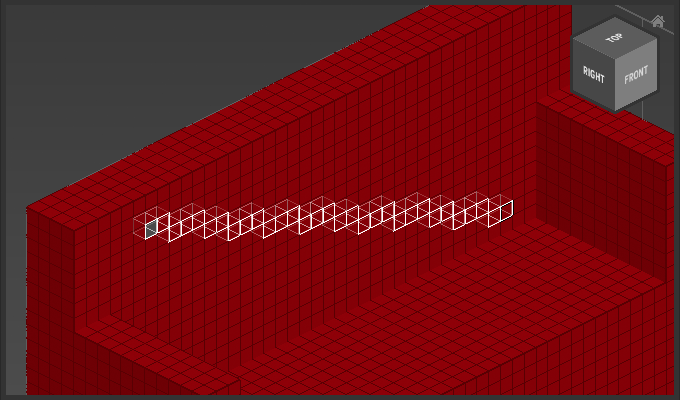
Click voxel A -> [Shift] + Click voxel B | Line from voxel A to voxel B |
[Ctrl] + Drag | Rectangle |
[Alt] + Click voxel | Pick foreground color |
Freehand Tool
| Action | Behavior |
|---|---|
Drag | Paint voxels freehand. |
[Shift] + Drag | Attaches new voxels freehand. |
[Ctrl] + Drag | Erases voxels freehand. |
[Alt] + Click voxel | Pick foreground color |
Line Tool
| Action | Behavior |
|---|---|
First Click | Start new line in paint mode. |
First [Shift] + Click | Start new line in attach mode. |
First [Ctrl] + Click | Start new line in erase mode. |
Next Clicks | Set line point, perform action (paint/attach/erase). |
[Esc] | Finish line. |
[Alt] + Click voxel | Pick foreground color |
Rectangle Tool
| Action | Behavior |
|---|---|
Drag | Paint voxels inside rectangle. |
[Shift] + Drag | Adds new voxels inside rectangle. |
[Ctrl] + Drag | Erases voxels inside rectangle. |
[Alt] + Click voxel | Pick foreground color |
Example
Use Pencil and Click Voxel A then [Shift] + Click Voxel B to draw a line:
Use Pencil and hold down [Ctrl] while dragging to draw a rectangle: