Appearance
Work Area
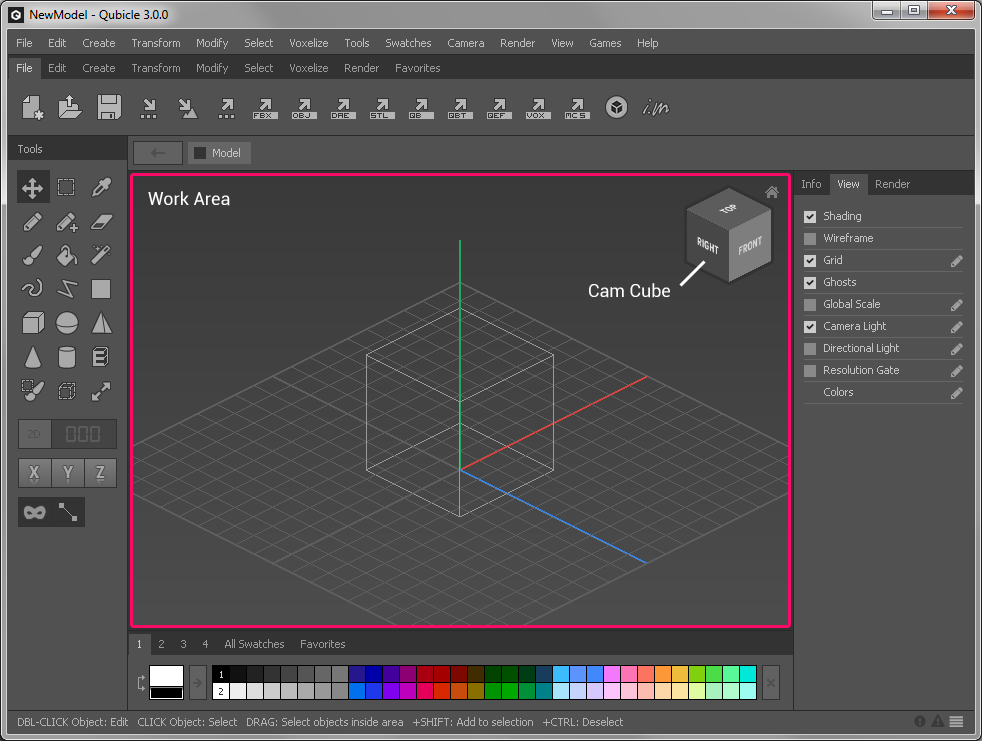
The Work Area is the main window of the user interface and the place where you edit your model.
How to Control the Camera
To view your model effectively you need to control the camera and change its rotation and position. Qubicle 3.0 supports two different ways to control the camera. You can use both ways without changing any preferences.
Classic Camera Controls
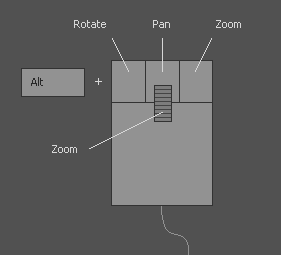
Hold down the Alt key and one of the three mouse buttons to rotate, pan and zoom.
- Use
[Alt] + Left Mouse Buttonto rotate - Use
[Alt] + Middle Mouse Buttonto pan - Use
[Alt] + Right Mouse Buttonto zoom
Alternative Camera Controls
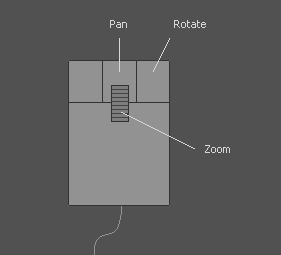
The alternative camera controls don't require pressing the Alt key.
- Use
Right Mouse Buttonto rotate - Use
Middle Mouse Buttonto pan - Use
Mouse Wheelto zoom
How to use the Cam Cube
In the top right corner of the Work Area you can find the Camera Cube which rotates with the camera and indicates which side of the model you are looking at.
Clickon either side of the Camera Cube to rotate the camera to the corresponding perpendicular view.Clickon the little home button to reset the camera position and rotation.